
Last Updated on 4 April, 2024
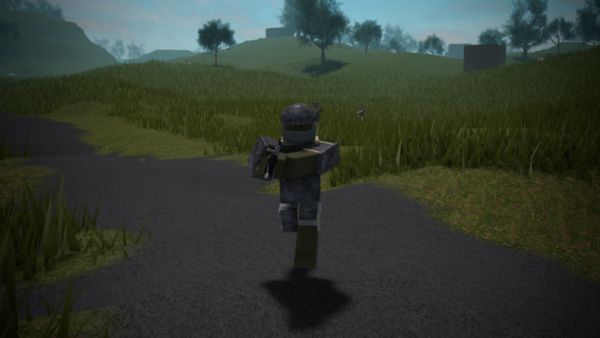
Trident Survival V2 Script Pastebin Hacks – the best hacks, with No Dash Cooldown, No Stun and other amazing hacks and exploits for the SkullDevs’s game
Contents
- 1 How to Execute a Roblox Script?
- 2 Trident Survival V2 Script Pastebin Hacks – Hitbox Expander, Player Esp, Jump Crouch 2023
- 3 Trident Survival V2 Script Pastebin Hacks – Hitbox Extender, Esp, Disable Grass 2023
- 4 Trident Survival V2 Script Pastebin Hacks – Gun Mods and more
- 5 Trident Survival V2 Script Pastebin Hacks – Player and TC Esp
- 6 About Trident Survival V2
Other Roblox Trident Survival V2 guides:
How to Execute a Roblox Script?
Follow these steps to use scripts & hacks in Roblox:
- The first thing you need is a Roblox exploit and/or script executor, so download one. If you don’t know, the most popular ones are Krnl, Synapse, or JJSPloit
- Open the game, Trident Survival V2, and start playing
- Launch your Roblox exploit and/or script executor
- Copy and paste any of the scripts we are going to provide you into the provided box and hit the Execute/Inject button
Trident Survival V2 Script Pastebin Hacks – Hitbox Expander, Player Esp, Jump Crouch 2023
If you want the Hitbox Expander, Player Esp, Jump Crouch Script Pastebin link for SkullDevs’s game, find it Here
loadstring(game:HttpGet("https://raw.githubusercontent.com/BigHacker123/loader/main/.lua"))()
Features:
- Hitbox Expander
- Player Esp
- Jump Crouch
Trident Survival V2 Script Pastebin Hacks – Hitbox Extender, Esp, Disable Grass 2023
If you want the Hitbox Extender, Esp, Disable Grass Script Pastebin link for SkullDevs’s game, find it Here
loadstring(game:HttpGet("https://raw.githubusercontent.com/21Nightmare12/Nightmare.cc1/8578a0bac357721bc3b7a309c68e560dfe4c814a/new" ,true))();
Features:
- Hitbox Extender
- Esp
- Disable Grass
Trident Survival V2 Script Pastebin Hacks – Gun Mods and more
If you want the Gun Mods and more Script Pastebin link for SkullDevs’s game, find it Here
loadstring(game:HttpGet("https://raw.githubusercontent.com/VertigoCool99/Script/main/TS/leak.lua", true))()
Features:
- Ore Esp
- Player Esp
- Gun Mods
- Silent Aim
- Speed Hack
Trident Survival V2 Script Pastebin Hacks – Player and TC Esp
If you want the Player and TC Esp Script Pastebin link for SkullDevs’s game, find it Here
local uis = game:GetService("UserInputService")

_G.Enabled = true

uis.InputBegan:Connect(function(input, gp)
if not gp then
if input.KeyCode == Enum.KeyCode.V then
if _G.Enabled == true then
_G.Enabled = false
elseif _G.Enabled == false then
_G.Enabled = true
end
end
end
end)

for i,v in pairs(game:GetService("ReplicatedStorage").Player:GetDescendants()) do
if v:IsA("MeshPart") or v:IsA("Part") then
local adornment = Instance.new("BoxHandleAdornment")
adornment.Adornee = v
adornment.AlwaysOnTop = true
adornment.ZIndex = 1
adornment.Size = v.Size
adornment.Color = BrickColor.new("Bright green")
adornment.Transparency = 0.3
adornment.Parent = v
end
end
for i,v in pairs(game.Workspace:GetChildren()) do
if v:FindFirstChild("Head") then

for i,v in pairs(v:GetChildren()) do
if v:IsA("Part") then


local adornment = Instance.new("BoxHandleAdornment")
adornment.Adornee = v
adornment.AlwaysOnTop = true
adornment.ZIndex = 1
adornment.Size = v.Size
adornment.Color = BrickColor.new("Bright green")
adornment.Transparency = 0.3
adornment.Parent = v

end
end
for i,v in pairs(v:GetChildren()) do
if v:IsA("MeshPart") then

local adornment = Instance.new("BoxHandleAdornment")
adornment.Adornee = v
adornment.AlwaysOnTop = true
adornment.ZIndex = 1
adornment.Size = v.Size
adornment.Color = BrickColor.new("Bright green")
adornment.Transparency = 0.3
adornment.Parent = v
end
end
end
end

while wait() do
if _G.Enabled == true then

for i,v in pairs(game:GetService("ReplicatedStorage").Player:GetDescendants()) do
if v:IsA("MeshPart") or v:IsA("Part") then
if v:FindFirstChild("BoxHandleAdornment") then
v:FindFirstChild("BoxHandleAdornment").Transparency = 0.3
end
end
end

for i,v in pairs(game.Workspace:GetChildren()) do
if v:FindFirstChild("Head") then

for i,v in pairs(v:GetChildren()) do
if v:IsA("Part") then
if v:FindFirstChild("BoxHandleAdornment") then
v:FindFirstChild("BoxHandleAdornment").Transparency = 0.3
end
end
end
end
for i,v in pairs(v:GetChildren()) do
if v:IsA("MeshPart") then

if v:FindFirstChild("BoxHandleAdornment") then
v:FindFirstChild("BoxHandleAdornment").Transparency = 0.3
end
end
end
end
end


if _G.Enabled == false then

for i,v in pairs(game:GetService("ReplicatedStorage").Player:GetDescendants()) do
if v:IsA("MeshPart") or v:IsA("Part") then
if v:FindFirstChild("BoxHandleAdornment") then
v:FindFirstChild("BoxHandleAdornment").Transparency = 1
end
end
end

for i,v in pairs(game.Workspace:GetChildren()) do
if v:FindFirstChild("Head") then

for i,v in pairs(v:GetChildren()) do
if v:IsA("Part") then
if v:FindFirstChild("BoxHandleAdornment") then
v:FindFirstChild("BoxHandleAdornment").Transparency = 1
end
end
end
end
for i,v in pairs(v:GetChildren()) do
if v:IsA("MeshPart") then

if v:FindFirstChild("BoxHandleAdornment") then
v:FindFirstChild("BoxHandleAdornment").Transparency = 1
end
end
end
end
end
end
Features:
- Player Esp: V to Toggle
- TC Esp: T To toggle
About Trident Survival V2
Trident now supports mobile devices! You can play on servers that are solely for mobile devices or with Xbox and PC.
In a world where the only enemies are other people, you must gather resources, craft, plunder, steal, construct, and live. Player vs. Player survival is made possible via Trident Survival. Play alone or with friends as you extract resources from other players while protecting your own from others seeking to do the same.
On the server you join, your position, possessions, and structures will be immediately preserved. Every Friday at 2 PM EST, servers are reset, and all buildings are removed. Exploitation is not permitted. There will be a ban if the maximum clan member restriction is exceeded.
Available Platforms:
– PC
– XBOX
– MOBILE (BETA)
Key binds can be found and changed in settings tab.

God play
God play nice play broy
Niceeee play trident v2 toppp
Trident nice bro ezzz me sctipt top ezzzzz me mobile hahaha
Valera top nice moment
Script top trident survival top and katastrooha