
Last Updated on 5 October, 2023
CS2 Knife Commands – Counter-Strike 2 – All the Knife commands, the cheat commands you need, and how to use this cheat with binds
Contents
CS2 Knife Commands – Full List
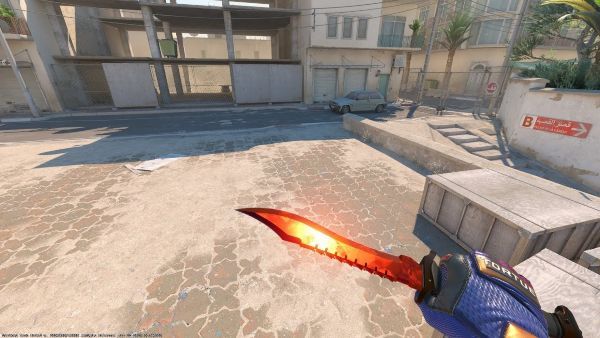
These are all the Knife commands in Counter-Strike 2:
- Karambit – Knife command = “subclass_change 507”
- M9 Bayonet – Knife command = “subclass_change 508”
- Butterfly – Knife command = “subclass_change 515”
- Talon – Knife command = “subclass_change 523”
- Bayonet – Knife command = “subclass_change 500”
- Ursus – Knife command = “subclass_change 519”
- Skeleton – Knife command = “subclass_change 525”
- Nomad – Knife command = “subclass_change 521”
- Stiletto – Knife command = “subclass_change 522”
- Huntsman – Knife command = “subclass_change 509”
- Classic – Knife command = “subclass_change 503”
- Flip Knife – Knife command = “subclass_change 505”
- Paracord – Knife command = “subclass_change 517”
- Survival – Knife command = “subclass_change 518”
- Falchion – Knife command = “subclass_change 512”
- Bowie – Knife command = “subclass_change 514”
- Shadow Daggers – Knife command = “subclass_change 516”
- Navaja – Knife command = “subclass_change 520”
- Gut Knife – Knife command = “subclass_change 506”
CS2 Knife Commands – How to use Cheats?
You need to enter two commands before you can use the knife cheats in Counter-Strike 2:
- Load One Offline Server
- Open Your Console And Type “sv_cheats true” & “mp_drop_knife_enable true”
- Drop Your Knife
- Face the dropped knife
- Choose The Knife (above) and Paste The Command (ubclass_change 5xx) To Console
- Pick Up The Dropped Knife
Using binds
If you like a particular knife and want to be able to have it at the touch of a single key, follow these steps:
- Go To C:\Steam\steamapps\common\Counter-Strike Global Offensive\game\core\cfg
- Create a text file with the command of the knife you want, for example for Butterfly > subclass_change 515,
- Save the file as Knife.cfg
- Create another text file
- alias knife “exec knife.cfg”
- bind K “slot3; knife” (K is the key where you want to bind, so change it to the key you want)
- Save the file as…whatever, for examble “BindKnife.cfg”
- Open Your Console And Type “sv_cheats true” & “mp_drop_knife_enable true”
- Drop Your Knife
- Face the dropped knife
- Open console and type “BindKnife.cfg” (or the name of your choice)
- Press K (or the key of your choice)
- Pick Up The Dropped Knife
About Counter-Strike 2
With the help of millions of players from around the world, Counter-Strike has provided an exceptional competitive experience for more than 20 years. And just now, the CS tale is poised to move on to its next chapter. This is Counter-Strike version 2.
Counter-Strike 2, a free update to CS:GO, is the biggest technical advance in Counter-Strike’s history. Counter-Strike 2, which uses the Source 2 engine, has been updated with realistic physically-based rendering, cutting-edge networking, and improved Community Workshop capabilities.
In addition to the traditional gameplay with an emphasis on objectives that Counter-Strike invented in 1999, Counter-Strike 2 includes:

Leave a Reply