
Last Updated on 14 March, 2024
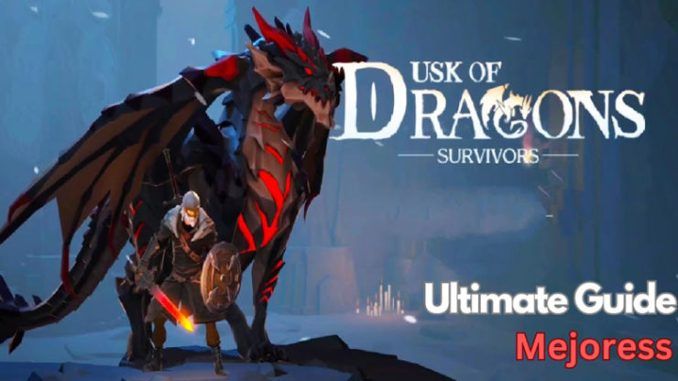
Welcome to Dusk of Dragons: Survivors, have you ever longed to create dragons to aid you in your journey? In Dusk of Dragons, you are abandoned in the wilderness, attempting to survive numerous supernatural enemies by raising dragons and creating your settlement from scratch.
Dusk of Dragons: Survivors was developed by COREGAMES PTE. LTD, It’s available on both. Google Play and the App Store.
This article is The Dusk of Dragons: Survivors Ultimate Guide to Creating Your Kingdom, and it will go over all you need to know about the game to progress faster than everyone else.
Basic Gameplay
Character Creation
First and foremost, you’ll need to build your character. One of the unique features of the game is the ability to modify your character’s appearance, including the face, haircut, colors, and even the tattoos and their hues.
So, before you start playing the game, choose a name and spend some time personalizing your character.
 Photo: COREGAMES PTE. LTD.
Check out Dusk of Dragons: Survivors Code (March 2024) here!
Movement and Controls
Once you’ve created your character, you’ll be asked if you want to begin with the rookie tutorial or not. Our advice is not to skip the guide since you will not earn the beginner awards, which will offer you a significant advantage at the start of the game.
The initial scene shows you being struck by a spear from the enemies, therefore if you are ever stabbed, all you have to do is long press on it to remove it. It will hurt, but with a few bandages, you’ll be OK.
- Create a character and choose a tutorial option.
- Avoid skipping tutorials for beginner rewards.
- Learn to remove objects by long-pressing.
- Navigate using the left side of the screen.
- Interact with choices on the right side.
- Use a closed hand to strike creatures.
- Use open hand to collect materials.
- Follow the green arrows for navigation.
- Refer to the map in the upper left corner.
Now, let’s look at your controls. All you have to do is move the left side of the screen in whichever way you like.
On the right side of the screen, you will see all of your choices, but as a beginner, you will only see the closed hand, which you may later change with any weapon to strike creatures.
The second choice is the open hand, which you will use often since it is how you collect materials from corpses and chests.
In Dusk of Dragons, the beauty lies in never getting lost without knowing where to go next, thanks to a green arrow always pointing in the right direction. Always keep an eye on the arrows.
There is also a map in the upper left corner of the screen that tells you where everything is.
On Screen Buttons
After you’ve done your instruction, you’ll be moving to your town. The first thing you should do is go to your mail at the bottom of the page to see what incentives you have received.
Next to it is the Craft button, which allows you to spend materials to create weapons, clothing, and consumables, which we will go over in depth later.
On the right bottom corner is your back bag, which is one of the most essential things you want to keep an eye on, because if it’s full, you won’t be able to gather resources, so you must always put your stuff in the storage, which we will discuss later.
The “Build” button, located at the bottom center of the screen, allows you to construct simple and complex structures.
 Photo: COREGAMES PTE. LTD.
Explore code articles for your mobile games here!
Buildings
Storage
One of the most crucial things to construct and enhance is the storage boxes, since your backpack will not hold all of the objects you acquire, thus you will need to put them in boxes.
Don’t be concerned while you’re in town; any upgrade or craft that requires goods from the storage boxes will be accessible, regardless of where they are in your backpack or the boxes.
However, bear in mind that if you are out of town, you will only be able to utilize the stuff in your bag; you will be unable to access anything in your storage.
Squire Bed
You will need to construct a squire bed for your squire, enabling you to employ a mercenary to provide food for you, and they will gather certain special materials for you that take time to locate.
Mercenaries are an excellent source of resources, but you must construct a bed for each mercenary.
When you raise your prestige level, you will get your first one, and as you go to level 2, additional mercenaries will visit you every day at midnight, and you will be able to pick who to recruit.
To learn more about Squires, go to the Squires tab at the top of the screen, where you’ll see all of the mercenaries you’ve hired. Every mercenary selects a quantity of food to be completely pleased, and the more food you provide, the more quest points they get.
There are six categories of mercenaries: gatherer, scavenger, hunter, scholar, crafter, and explorer, with each having three qualities: average, elite, and master.
So, constantly boost your prestige points by constructing homestead buildings, hanging decorations, and defeating monsters so that you may dispatch more squires with greater qualities and better rewards.
 Photo: COREGAMES PTE. LTD.
Also read: Smash Legends Beginners Guide
Cooking Pot
You will discover a cooking pot by default, which may be improved with certain resources.
A cooking pot in which you may set objects on fire to create meals and other goods that need heat. The left bar displays all of the objects that can be made.
After selecting the formula, you will be prompted to enter the necessary components. Below that is the fuel zone, where you may add wood or other fuel types to start the pot, as well as a blower to raise the temperature of the fire.
Bed
In addition, you will discover a broken bed in your village that you must repair with some wood.
Restored bed boosts experience by 5% for 30 min, usable twice daily
Woodwork Bench
The Woodwork Bench, as the name implies, is used to acquire wood-made goods such as planks, basic stands, fences, pine planks, and much more.
As with any other crafting building, you must first choose the formula, then add the necessary ingredients, choose the amount, and begin making.
Stonework Bench
Once you’ve built a stonework bench, you may make the majority of the stone’s products, including the slab, a rudimentary grinding wheel, wheat flour, bone powder, limestone, and much more.
Loom
A loom is where you can use flax and cotton, as well as other raw materials, to make useful goods like cotton cloth, flax rope, linen, and much more. The higher your loom, the more goods you can access.
 Photo: COREGAMES PTE. LTD.
Click here for more mobile gaming guides for your games!
Dusk of Dragons’ Eggs and Buildings
How to find eggs
Once you’ve completed the early objectives on the left-hand side, a quest will prompt you to visit the Strange Cave, where you’ll locate your first dragon egg, the fire dragon egg.
There are always more eggs in the game. If you participated in the beta, you will get a dark dragon egg as a prize.
Following that, more missions will bring you to more eggs, including the Ice Dragon Egg, which we shall describe later in this section.
How to hatch eggs
Once you have a dragon egg in your backpack, travel to town and establish a hatchery where you may place dragon eggs to hatch.
Each egg needs unique materials to hatch. For the fire dragon, examine the chest in the same weird cave where you discovered the egg to find the goods needed to hatch it.
Once you have the necessary components, hit Place and then Hatch. Each egg hatches at a different time; the fire dragon takes 5 minutes, while the dark dragon takes 30 minutes.
Also, the greater the dragon’s tier, the higher the level of hatchery needs, therefore constantly update your hatchery to produce stronger dragons.
Once an egg hatches, you must return to the hatchery to get your dragon, which will appear as an item in your backpack until you deposit it in its proper nest.
Nests
You must construct a nest for each dragon to inhabit; each nest has specific requirements, and you may only construct one of each kind.
Once your dragon has settled into his nest, you must give it a name. You may also use the dice to generate random names.
 Photo: COREGAMES PTE. LTD.
Dragons Panel
You will now see a dragon symbol at the bottom of your screen, or you may go to the nest to locate everything relating to this dragon.
First, you must understand that you can only have one dragon accompany you, and you can only change them when in town.
List all the dragons you’ve previously acquired on the right. You may pick any of them to follow, as well as the distance between them (low, medium, or high).
In the dragon’s panel, you may either return the dragon to its nest if you don’t want it to lose satiety, or pick the out option so they can begin following you.
You’ll discover all of the additional choices you need, such as the star up, which allows you to utilize the material to power up the dragon, and the talents, that you may employ during combat. The dragon’s talent is located at the bottom of the screen, just below the search button.
You will also discover the equip option, which allows you to place stuff on your dragon to increase its striking power.
World Exploration
After you’ve prepared your weapons, dragons, and armor, it’s time to go outside of town and explore the environment, which is one of the primary features of Dusk of Dragons. There are many locations that you can go.
Each location has its resources and better possibilities for collecting particular stuff, so always know what you’re searching for so you know where to go.
Remember that walking to a village will cost you energy, and you have two options: stroll for hours, or run for 2 seconds.
Each hamlet or location has its own set of creatures and bosses, and to complete them, you must kill the boss, who does massive damage and has a large life bar.
Most sites allow you to pick between three difficulty levels: easy, hard, and nightmarish. The greater the level, the tougher the creatures, so prepare your most powerful weapons and dragon to dominate the map.
Finally, have fun with the game, and don’t be afraid to ask for assistance; the community is really helpful, and you can even join them on Discord.
Explore other amazing articles like Smash Legends Beginners Guide, and How To Get Avatar Korra in Fortnite Chapter 5 Season 2.

Leave a Reply