
Last Updated on 8 July, 2025
If you’re playing Persona 5 The Phantom X on a 32:9 or higher ultrawide monitor, chances are you’re stuck with black bars.
The game has some support for ultrawide, but not full native scaling beyond 21:9. Fortunately, there’s a simple fix.
In this quick guide, we’ll show you how to make Persona 5 Phantom X run in fullscreen ultrawide using a free tool, no registry edits or mods required.
Just getting started with the game? Don’t miss our Beginner Guide for Persona 5 The Phantom X and Best Reroll Picks here.
Contents
What’s the Ultrawide Issue in P5X?
Even though Persona 5 The Phantom X runs well on most systems, it limits ultrawide support to 21:9, cutting off wider resolutions like 32:9 or super ultrawide.
You’ll see:
-
Black bars on both sides
-
Cropped visuals
-
No in-game option to fix it
Thankfully, this isn’t a hard limitation. The engine can scale, but it doesn’t let players adjust it natively.
How to Fix Ultrawide in Persona 5 The Phantom X
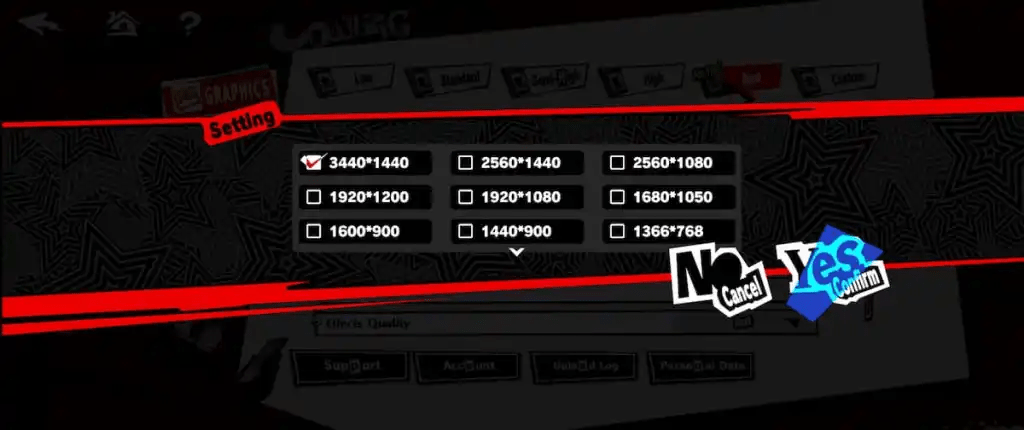
The easiest and safest method is by using a tool called Borderless Gaming. It tricks the game into stretching cleanly to your full screen.
Step-by-Step Instructions
-
Download Borderless Gaming
Go to the GitHub page here and grab the latest.exeunder Assets. -
Install and Launch Borderless Gaming
It’ll appear as a small BG icon in your system tray. -
Launch Persona 5 The Phantom X
Set the Display Mode to Windowed in Settings.
This is crucial — the tool only works in Windowed Mode. -
Add the Game to Favorites
In Borderless Gaming:-
Find Persona 5 Phantom X under Applications
-
Click the
→arrow to add to Favorites
-
-
Enable Fullscreen + Auto-Maximize
-
Right-click the game in Favorites
-
Enable “Fullscreen” and “Auto-Maximize”
-
Done. The black bars are gone, and the game will now stretch to fit your full ultrawide screen.
Why This Works
The Persona 5 The Phantom X game engine technically supports all resolutions, but the UI layer is locked to specific aspect ratios.
Borderless Gaming works by force-maximizing the window without messing with files or registry edits.
Bonus Performance Tips
-
✅ Unlocked framerate: Available if VSync is disabled
-
✅ Steam Deck support: Runs at stable 60 FPS with mixed medium-high settings
-
✅ FSR (FidelityFX) is supported
-
❌ No DLSS support (as of v1.0)

Leave a Reply