
Last Updated on 4 April, 2024
Android Games with Controller Support – Complete list with all the controller compatible games for Android, complete and updated list
Contents
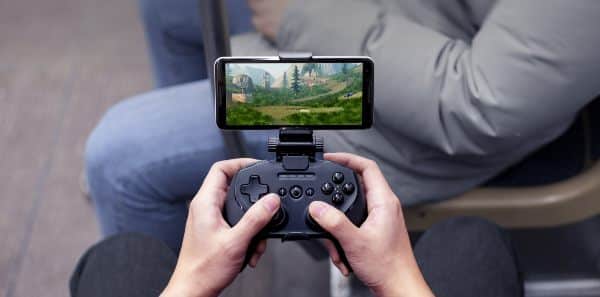
As intuitive and simple as it is to play using your mobile, there is no doubt that for certain games it is infinitely easier to play with a controller. So we leave you the complete list of controller compatible games for Android
Android Games with Controller Support – Full List
This is the complete list of controller compatible games for Android
- Alien Isolation
- All the Goat Simulator games (controller mapper needed on Odin)
- Among Us
- Apex Legends (needs controller mapper on Odin)
- Armajet
- Asphalt Series
- Bard’s Tale
- Battle for Bikini Bottom Rehydrated
- Black Ops Zombies (needs controller mapper)
- Bloodstained: Ritual of the Night
- Bright Memory Mobile
- Bully
- Canabalt HD
- Carmageddon (needs controller mapper)
- Castle of Illusion (needs controller mapper)
- Castlevania: SotN
- CoD Mobile (needs controller mapper, unless using official XBOX or PlayStation Controllers)
- Crazy Taxi Classic
- Crypt of the Necrodancer
- Dead by Daylight Mobile (needs controller mapper)
- Dead Cells
- Dead Trigger
- Dead Trigger 2
- Death Road to Canada
- Death Squared (needs controller mapper on odin)
- Disgaea 1 Complete
- Don’t Starve, Shipwrecked
- Doom and Doom II
- Doorkickers Action Squad
- Fate/Extella (requires JP playstore account)
- Fate/Extella Link (requires JP playstore account)
- Final Fantasy VII
- Final Fantasy VIII
- Forgotten Anne
- Forgotten Memories
- GRID Autosport
- Grimvalor
- GTA III, Vice City, San Andreas
- Half-life 2, episode 1 and 2*
- Hello Neighbor
- Horizon Chase
- Human Fall Flat (needs controller mapper on odin)
- Implosion – Never Lose Hope
- Jet Set Radio
- Jetpack Joyride (plays like the Vita and PSP versions with a controller)
- Juicy Realm
- Kingdom New Lands (needs controller mapper)
- Kingdom Two Crowns (needs controller mapper)
- KotOR 1 and 2
- Limbo
- Lego Batman Beyond Gotham
- Lego Jurassic World
- Lego Marvel Super Heroes
- Lego Ninjago
- Lego Star Wars The Complete Saga
- Lego Star Wars The Force Awakens
- Levelhead (Super Mario Maker Clone)
- Minecraft
- Most games by NVIDIA Lightspeed, but you need a Shield device for all of them, unless you spoof your device
- Most games by Rockstar
- Most games by SEGA
- Most games by Square Enix
- Most games by Team 17
- NieR: Re[in]carnation (needs controller mapper)
- Oceanhorn (LoZ clone)
- Octodad: Dadliest catch
- Oddworld ports
- Other Telltale ports
- Pascal’s Wager (soulsborn-like)
- Pocket Mortys (Rick and Morty themed Pokemon clone)
- Portal
- Portal Knights (minecraft clone with rpg elements)
- Repulze (F-Zero/WipeOut clone)
- Rocket League Sideswype
- Scribblenauts Remix
- Shellfire (overwatch clone, needs controller mapper)
- Sky: Children of the Light
- Stardew Valley
- SoulCalibur
- Space Ace and Dragon’s Lair ports
- Sparklite
- Street Fighter IV Champion Edition
- Suzy Cube (Mario 3d Land/World clone, needs controller mapper on Odin)
- Terraria
- Thumper Pocket Edition
- Titan Quest
- Tomb Raider 1 and 2
- Totally Reliable Delivery Service
- TT Walking dead ports
- Turbo League (Rocket League clone)
- Undestroyed
These are all Android games that offer support or are compatible to play with a controller. We will expand this list as new games offer this support in the future.
FAQ – How To Connect any controller to your Android Device
If you need help to Connect any controller to your Android Device, check this video guide from 9to5Google in which they will explain how to connect:
- A PS4 DualShock controller to your Android
- A PS5 DualShock controller to your Android
- An Xbox One controller to your Android
- An Xbox Series S/X controller to your Android
- A Nintendo Switch Pro controller to your Android
- A Stadia controller to your Android
- Generic Bluetooth gamepads to your Android
- Controllers that do NOT work
FAQ – How To Set up & use a Gamepad for Android TV
Connect your Gamepad to your Android TV and:
- Home button
: Return to the main screen.
- Back button
: Go back to the last screen.
- D-Pad buttons: Move up, down, left, or right on the screen.
- A button: Select your current item.
- Power button
: Hold the button for 3 seconds to turn off your Gamepad.
You can also visit:
- PS5 Keyboard and Mouse Games
- PS4 Keyboard and Mouse Games
- Xbox Keyboard and Mouse Games
- iOS – iPhone & iPad Games with Controller Support
- Steam Deck Compatible Games List

Leave a Reply