
Last Updated on 18 November, 2025
Released using the RPG Maker 2003 engine, Yume Nikki stands apart from traditional gaming experiences. You might approach this game expecting a clear path to victory or a specific condition for defeat. You must abandon those expectations immediately. This guide serves as a primer for your journey and details the mechanics you need to navigate the surreal landscapes awaiting you. We will cover everything from the fundamental controls to hidden glitches. Prepare yourself to explore the dreams of a young woman in a world where exploration reigns supreme.
Table of Contents
- The Philosophy of Exploration
- Navigating the Real World
- Entering the Dream World
- Understanding Effects
- User Interface and Menus
- Essential Controls and Hotkeys
- Advanced Tips and Hidden Mechanics
- Conclusion
The Philosophy of Exploration
You must understand the primary motivation for playing Yume Nikki before you take your first step. This is not a game you win or lose. It is an experience you undertake. Your main goal is simple exploration. You wander through the dreamscapes to observe, interact, and discover.
Many players feel tempted to look up spoilers or walkthroughs immediately. You should heed a serious warning regarding this impulse. Knowledge cannot be lost once you learn it. If you spoil the contents of the game for yourself, you irrevocably alter the experience. I highly encourage you to explore to your heart’s content before seeking outside answers. Interact with as many objects as you can find and forge your own path first.

Navigating the Real World

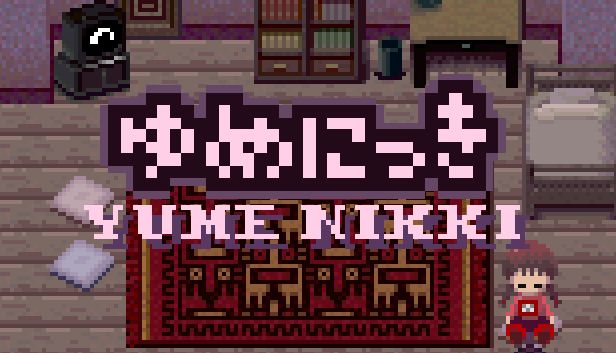
The game splits into two unequal segments. The first segment is the Real World. This area functions primarily as your main menu or a hub for safety. The Real World consists almost entirely of your room. While here, you can perform several small but significant actions.
Saving Your Progress
You save your game by writing in your diary. You will find the diary on your desk. While the concept sounds simple, new players often struggle with the specific execution. You cannot simply walk up and click. You must face the desk, stay still for a brief moment, and then press the interact key. The save menu will appear only after you wait that extra second. Do not spin around aimlessly or rush this process, or you risk losing hours of playtime.
Home Activities
Your room offers a few other distractions. You possess a game console which includes the highly rated video game NASU. You can play this minigame at any time while in the Real World. Additionally, you can step out onto your high-story balcony. This allows you to get a breath of fresh air. I recommend you return to the Real World often to save your progress and take a break on the balcony once in a while.

Entering the Dream World

The second and largest segment of the game is the Dream World. You access this world by sleeping in your bed in the Real World. Once you fall asleep, the game transports you to a balcony in the dream realm. From there, you enter through the front door to reach the Nexus.
The Nexus
The Nexus serves as your central hub. It contains a circle of doors. When you open these doors, they transport you to different locations within the Dream World. This system allows you to track your progress visually. You should feel free to enter any door in any direction. Each path leads to unique environments filled with strange creatures and objects.

Understanding Effects
Your primary objective involves collecting items referred to as Effects. You gain these items by interacting with specific things during your travels. Note that you can only use Effects within the Dream World.

Effects serve a practical purpose beyond simple collection. They alter your player character’s appearance and actions. For example, you start with the “Game Info” Effect. When you select this Effect, you can re-read the start-of-game tutorial.
A finite number of Effects exist in the game. I highly encourage you to collect them all. As you acquire new Effects, you should equip them and interact with the environment. You might find that certain Effects yield interesting results when used on objects or characters in the dream.

User Interface and Menus
You need to know where you are and what you carry. The game provides a few menu screens to help you manage your status.

The Status Screen
You access the status screen by pressing the Esc key. This screen displays your current collection progress, denoted by a giant “E” which counts your Effects. You might notice other elements on this screen, such as a “Money” counter. You should ignore these extraneous details. The game engine includes them by default, but they hold little consequence. While you can technically use money to buy drinks for health, health itself serves no purpose in Yume Nikki.
The Effect Screen
You access your collection by selecting the “Effects” button on the menu and pressing the Enter key. This screen lists every Effect you have accumulated. You can navigate this list with the arrow keys. To activate or equip an Effect, simply highlight it and press Enter.

Essential Controls and Hotkeys

Mastering the keyboard controls will significantly improve your experience. The game utilizes specific number keys to trigger special actions.
Effect Actions (Keys 1, 2, 3)
Pressing the 1, 2, or 3 keys triggers special animations or actions associated with your equipped Effect. These keys often cause interesting things to happen. You should experiment with these keys every time you find a new Effect to see what it does.
Dropping Effects (Key 5)
If you press the 5 key, your character will drop the Effect she currently has equipped. This allows you to leave an item on the ground. You must be careful not to lose it, though you can pick it back up.
Waking Up (Key 9)
The 9 key is perhaps the most vital tool in your arsenal. Pressing this key causes your character to pinch her cheek. This action wakes you up from the Dream World and returns you instantly to the Real World.
You will find this function useful in several scenarios. If you wander into a dead end and cannot find an exit, just pinch your cheek. You will wake up instantly in your room. It effectively acts as an emergency exit button.

Advanced Tips and Hidden Mechanics
The community has discovered various quirks and secrets that can aid your journey. Keep these tips in mind as you explore.

The Speed Glitch
Movement speed can sometimes feel slow. Fortunately, players have discovered a glitch that makes the main character move faster than normal. To perform this glitch, you need the Bike Effect.

- Enter the Dream World.
- Sit on the spinning chair in your room.
- Equip the Bike Effect while seated.
- Turn the chair around.
- Leave the chair.
If you execute this correctly, you will move at a very high speed.
Interaction Strategies
If something looks suspicious, interact with it. Exploration relies on your curiosity. Do not fear the strange inhabitants of the dream. Feel free to make friends with them or even play pranks on them using your Effects.
Repetition
Sometimes odd things happen if you repeat certain actions over and over. If an interaction seems simple, try doing it again. The game often hides secrets behind repetitive tasks.

Conclusion
Yume Nikki offers a journey unlike any other. It invites you to get lost in its atmosphere and discover its secrets at your own pace. Remember that you cannot win or lose this game; you can only experience it.

I hope you enjoy playing Yume Nikki as much as the community has. If you ever feel truly stuck or need help finding specific Effects, you can always refer to external wikis, but try to rely on your own instincts first. Be brave, pinch your cheek if you get lost, and happy hunting.

Leave a Reply