
Last Updated on 18 August, 2023
Holocure Steam Save File Transfer Guide – Save File Location – How to find the files you need, and how to transfer them to Steam
Contents
More Holocure Guides: All Collabs, All Super Collabs, All Items & Super Items, All Weapons, Golden Hammer
The save data will instantly transfer to your Steam account, according to some users. Before you open the Steam version for the first time, you must take care to prevent the game from being deleted from your computer.
Even so, having a backup is advised in case this approach doesn’t work out for you. You’ll need a backup on the new device if you want to play on the Steam Deck or if you’re transferring PCs.
Holocure Steam Save File Transfer Guide
A guide to find the Save File and Transfer to Steam
- Enable “show hidden folders”
- OpenHome > steam > steamapps > compatdata
- Find the folder for holocure ( requires the download versions folder and the steam versions folder)
- In the folder for holocure open “pfx”
- Open drive_c > users > steamuser > appdata > local > holocure
- Save file will be named “save_n.dat” or similar.
- Copy and paste “save_n.dat” from the download versions folder and into the steam versions folder.
- Launch the game
Holocure Steam Save File Transfer Guide – Save File Location
If you can’t find the Save File, try this:
The game saves are located in %LOCALAPPDATA%\HoloCure
About Holocure
Greetings from HOLOCURE!
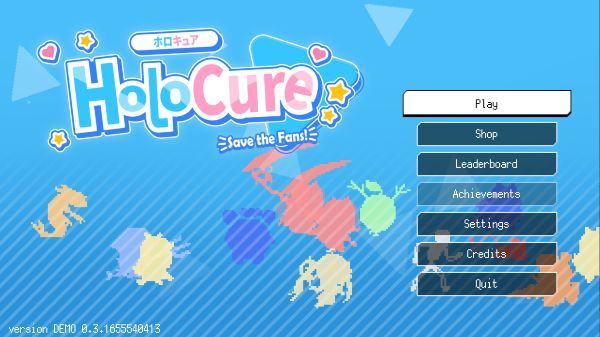
This is a free, unofficial fangame with gameplay primarily influenced by Vampire Survivors and Magic Survival that showcases the vtuber abilities of Hololive and its surrounding community. To design the ideal character, gather potent tools and weapons and test out various character builds. Will you be able to attain the top rankings and stop the never-ending swells of fans?
System Requirements
Minimum Requirements
-
- Requires a 64-bit processor and operating system
- Operating System: Windows 10
- Memory: 300 MB RAM
- Hard Drive Space: 250 MB de espacio disponible
- Video: NVIDIA® GeForce® GTX 960 Radeon™ RX 470 – DirectX 12.0 compatible system
- Network: Broadband Internet connection
Recommended Specifications
-
- Requires a 64-bit processor and operating system
- Operating System: Windows 10+
- Memory: 500 MB RAM
- Hard Drive Space: 250 MB de espacio disponible
- Video: NVIDIA® GeForce® GTX 960 Radeon™ RX 470 – DirectX 12.0 compatible system
- Network: Broadband Internet connection

Leave a Reply