
Last Updated on 29 May, 2025
Console commands in Counter-Strike 2 (CS2) can be incredibly useful — not just for server admins and map creators, but also for regular players who want to test skins, practice movement, or compare knife animations before making a purchase. Among the most commonly used commands are the give and drop knife commands. These allow you to instantly spawn any CS2 knife type in the game and freely drop or pick them up — something that’s not possible in regular matchmaking.
These commands are especially useful if:
- You want to see how a specific knife looks in-hand before buying it.
- You’re making YouTube or TikTok content and need to feature certain skins or animations.
- You’re a mapmaker or server host who wants to provide knives for players.
- You’re just playing with friends and want to try different skins for fun.
Whatever your reason, this guide will walk you through everything you need to know to use knife give and drop commands in CS2.
How to Enable Console and Cheats
Before you can use any give or drop command, make sure you’ve enabled the developer console:
- Go to Settings > Game > Enable Developer Console – set it to Yes.
- Open the console with the ~ key.
- In your private server or custom match, type:
sv_cheats 1 - Then enable knife drops:
mp_drop_knife_enable 1 - Now you’re ready to start giving and dropping knives.
All Knife Give Commands in CS2
Use this command format to spawn a specific knife:
give weapon_knife_[knife_name]
Here are the most popular knife commands:
- Bayonet – give weapon_bayonet
- Flip Knife – give weapon_knife_flip
- Gut Knife – give weapon_knife_gut
- Karambit – give weapon_knife_karambit
- M9 Bayonet – give weapon_knife_m9_bayonet
- Butterfly Knife – give weapon_knife_butterfly
- Huntsman Knife – give weapon_knife_tactical
- Falchion Knife – give weapon_knife_falchion
- Bowie Knife – give weapon_knife_survival_bowie
- Shadow Daggers – give weapon_knife_push
- Navaja Knife – give weapon_knife_gypsy_jackknife
- Stiletto Knife – give weapon_knife_stiletto
- Ursus Knife – give weapon_knife_ursus
- Talon Knife – give weapon_knife_widowmaker
- Classic Knife – give weapon_knife_css
- Paracord Knife – give weapon_knife_cord
- Survival Knife – give weapon_knife_canis
- Nomad Knife – give weapon_knife_outdoor
- Skeleton Knife – give weapon_knife_skeleton
Note: These will only work on local servers or community servers with cheats enabled.
How to Drop a Knife in CS2
Want to swap knives in a custom match?
First, enable knife dropping:
mp_drop_knife_enable 1
Then, drop your current knife like any weapon:
Press G (default drop key)
This allows you to test multiple knives, exchange them with friends, or just compare animations side-by-side.
🖼 Want to Try Skins Too?
While give commands let you spawn specific knife types, they won’t apply skins directly. To use specific skin patterns, you’ll need to install workshop addons or use tools like CS2 skin changers (only allowed in offline/practice modes).
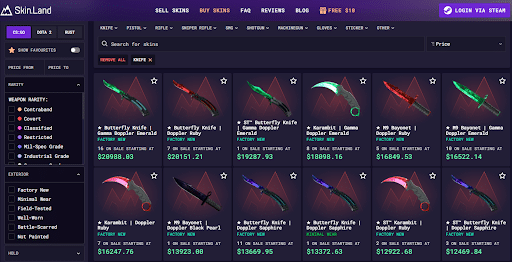
If you’re interested in actually owning these knives with rare skins (like Fade, Marble Fade, or Doppler), you can buy them on marketplaces like Skin.Land — where prices are often lower than on Steam, and you can pay out or trade freely.
Conclusion
Using CS2 knife give and drop commands is a fun and easy way to explore the game’s cosmetic options without spending real money. Whether you’re showing off to friends or testing animations, these commands give you full access in custom matches.
Just remember — these commands won’t work in competitive or online matchmaking, so use them responsibly in practice environments.

Leave a Reply